Controls and settings
How to move, talk, fight and carry things, and where to change how the game looks and sounds. Everything here is also inside the game: type /helpme for the help window.
The screen#
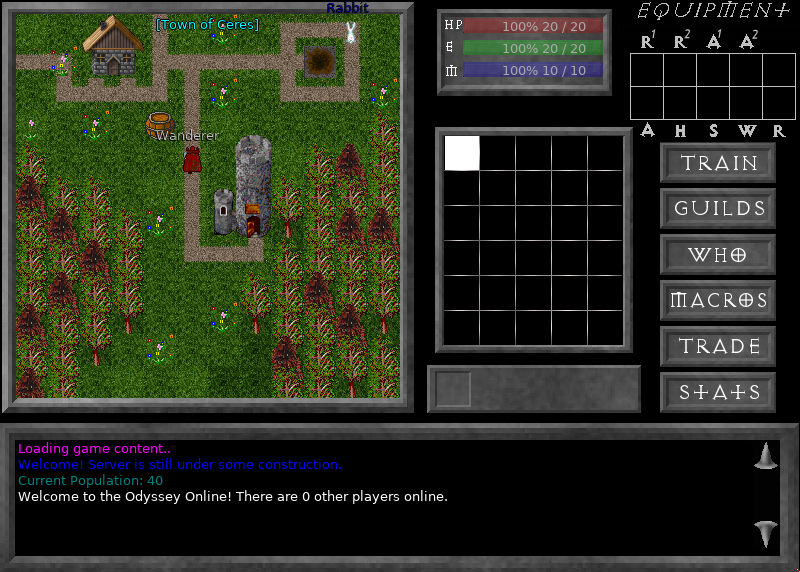 The game screen.
| Part | What it shows |
|---|---|
| The map, on the left | The world. Your character's name is over its head, and the map's name is at the top. |
| The three bars | Health (HP), energy and mana: how much you have of how much you can have. |
| Equipment | What you are wearing. |
| The grid of squares | Your inventory: thirty slots for what you carry. |
| The six buttons | Train, Guilds, Who, Macros, Trade and Stats. |
| The box at the bottom | Chat, and everything the game tells you. The two arrows beside it scroll back through it. |
Two sets of keys#
Odyssey has two sets of keys, and you choose between them.
| Legacy | Modern | |
|---|---|---|
| Move | Arrow keys | W A S D, or the arrow keys |
| Run | Hold Shift | Hold Shift |
| Attack | Hold Ctrl | Hold Ctrl |
| Talk | Just type, then Enter | Y, type, then Enter |
| Pick up | Enter with nothing typed | G |
| Pick up everything | Shift + Enter | Shift + G |
| Scroll the chat | Page Up, Page Down | Page Up, Page Down |
| Paste into chat | Ctrl + V | Ctrl + V |
| Macros | F1 to F10 | F1 to F10 |
| Menu | Esc | Esc |
A new install starts on Legacy, which is how the original game played: every letter you type goes into chat, so letters cannot be used for anything else. Modern frees the letters by making you press a key before you type.
To switch, open Settings, Game, and press the button beside Keys.
Your own keys#
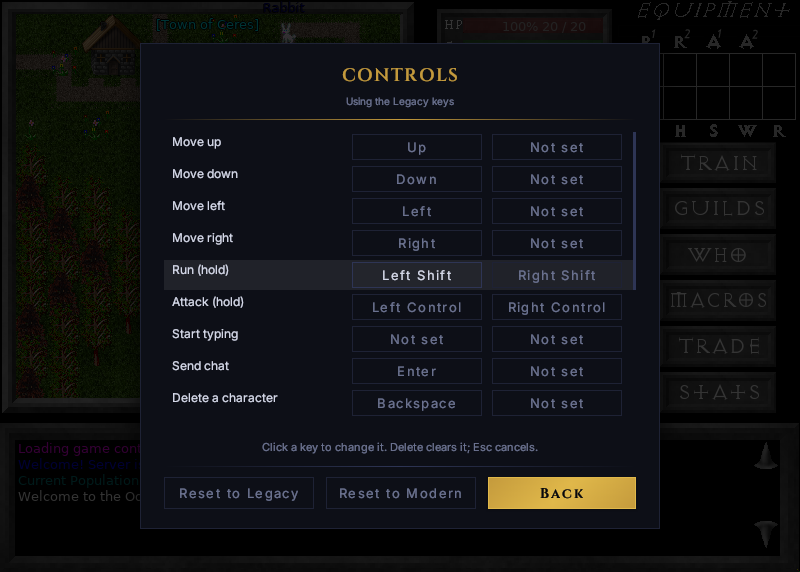 Each action can have two keys.
Beside Keys, press Change.... Each action has room for two keys.
- Click a key, then press the one you want in its place.
- Delete clears it. Esc cancels.
- Reset to Legacy and Reset to Modern put a whole set back. The keys you chose are kept, and Settings can switch back to them.
A key belongs to one action at a time: give it to another and it moves.
Moving#
Walk with the movement keys. Hold Shift to run. Running uses energy, and when it runs out you walk.
Walking off the edge of a map takes you to the next one. Doors open when you walk into them.
Talking#
On the Legacy keys, type and press Enter. On the Modern keys, press Y first.
What you type is said to everyone on your map. To reach further, start the line differently:
| You type | Who hears it |
|---|---|
hello | Everyone on your map. |
/yell hello | Everyone on your map and the maps beside it. |
/broadcast hello, or ; hello | Everyone in the game. It uses energy. |
/tell Name hello, or ' Name hello | One player, privately. |
/emote waves | Everyone on your map, as something you do. |
Macros#
A macro is a line you have saved to a key, F1 to F10. Press Macros, or type /macros, to write them.
Tick Send beside a macro and its key says the line at once. Leave it unticked and the key types the line for you to finish, which suits /tell and a name.
Ignoring someone#
/ignore Name hides a player's messages. /ignore on its own opens the list of who you ignore, where you choose what to hide from each: what they say, yell, emote, tell, broadcast or say in guild chat.
Fighting#
Face what you want to hit and hold Ctrl. Each swing uses energy.
When you die you return to where your character starts, and you may drop some of what you were carrying.
Carrying things#
| To | Do this |
|---|---|
| Pick something up | Stand on it and press the pick up key. |
| Use or wear an item | Double-click it in your inventory. |
| Take something off | Double-click it again, in the inventory or in Equipment. |
| Drop an item | Right-click it. For money and ammunition, the game asks how many. |
A single click selects an item.
Other players#
Click on a player to read their description. Write your own with /describe, followed by the text.
The six buttons#
| Button | The same as typing | What it does |
|---|---|---|
| Train | /train | Spends the stat points you gain with each level on strength, agility, endurance or intelligence. |
| Guilds | /guilds | Lists the guilds in the game. |
| Who | /who | Shows who is online. |
| Macros | /macros | Opens your macros. |
| Trade | /trade | Buys from and sells to the nearest NPC. |
| Stats | /stats | Shows your character's stats. |
Commands#
Anything starting with / is a command. /help lists them, and /help followed by a command's name explains it.
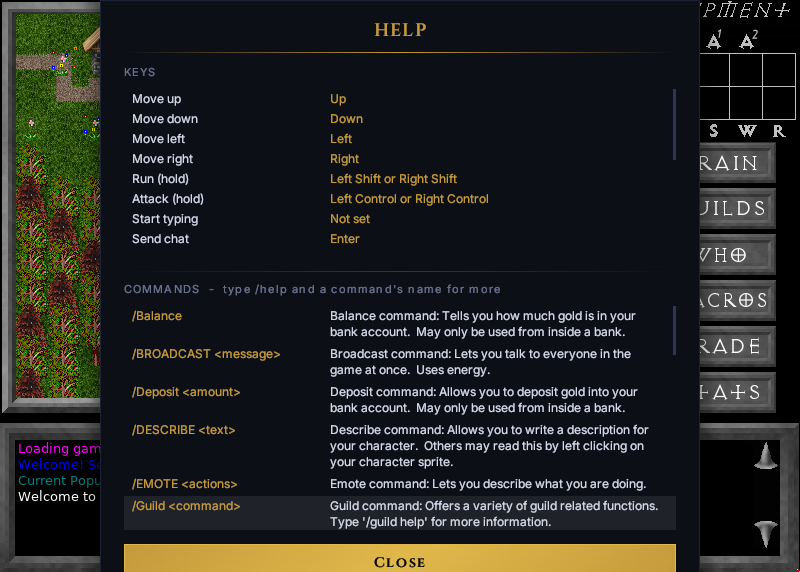 The help window, from /helpme. It shows the keys you have chosen.
| Command | What it does |
|---|---|
/helpme | Opens the help window. |
/who | Shows who is online. |
/where | Tells you where you are: the map and your place on it. |
/stats | Shows your character's stats. |
/train | Spends your stat points. |
/describe | Writes your character's description. |
/trade | Trades with the nearest NPC. |
/balance | Tells you how much gold is in your bank account. Only inside a bank. |
/deposit and an amount | Puts gold in the bank. Only inside a bank. |
/withdraw and an amount | Takes gold out. Only inside a bank. |
/guild | Guild commands. /guild help lists them. |
/guilds | Lists the guilds. |
/hour | Shows the hour of the day in the world. |
/options | Opens the settings. |
/leave | Goes back to your characters. |
/quit | Goes back to the server list. |
A server can add commands of its own. Its owner will tell you about them.
The menu#
Press Esc.
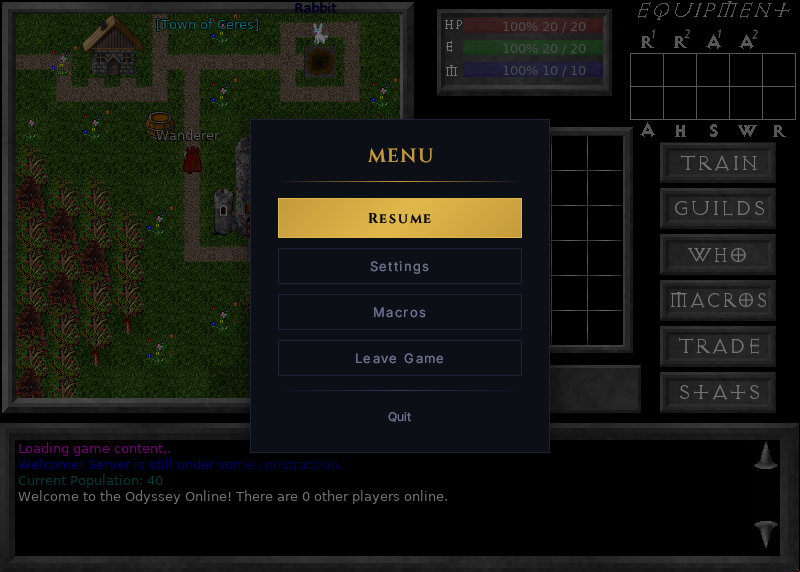 The menu. The game does not pause behind it.
Resume closes it. Leave Game goes back to your characters, and Quit closes Odyssey.
Settings#
Open them from the menu, from the sign-in screen, or with /options. There are four tabs.
Audio#
Master, Music and Effects set how loud each is. Music on and Sound effects on switch them off altogether.
Display#
| Setting | What it does |
|---|---|
| Window | How big the game is drawn: 800 × 600 or a whole multiple of it, so the art stays sharp. Auto picks the largest that fits your screen. |
| Menu size | How big the menus and their text are. |
| Language | The language of the game's own text. It applies when you restart Odyssey. |
| Light Mode | Switches the menus between dark and light. |
| Show FPS | Shows how many frames are drawn each second. |
Game#
| Setting | What it does |
|---|---|
| Keys | Legacy, Modern, or your own. Change... opens the Controls screen. |
| Map transitions | Slides the picture across when you walk to the next map. |
| Monster names | Shows each monster's name over it. |
| Popup info text | How hits, misses and experience are shown. On: as a number floating over whoever it happened to. Off: as lines at the foot of the map, which fade. |
| Show broadcasts | Shows other players' broadcasts in your chat. |
| Log tells | Keeps the private messages you receive in a file. |
| Log chat | Keeps everything in your chat in a file. |
General#
| Setting | What it does |
|---|---|
| Updates | Check now looks for a new version. Beta releases offers you test releases too. |
| Reports | Whether crash reports and usage statistics are sent to Burningstorm Studios. |
| My content | Opens a folder of your own. A file you put there is used in place of the game's own of the same name. |