Joining a server
Every Odyssey world is somebody's server. Each has its own maps, its own rules, and its own people. Your account works on all of them, and you have separate characters on each.
This guide follows on from Getting started: you have the game and you are signed in.
The server list#
After you sign in, Odyssey shows the servers that are online right now, with how many players each has.
- Double-click a server to join it, or select it and press Connect.
- Refresh asks for the list again.
- Sign Out goes back to the sign-in screen.
Each server has a status:
| Status | What it means |
|---|---|
| OPEN | Anyone can join. |
| PRIVATE | Only invited players can join. The owner has to add you. |
| OFFICIAL | Run by Odyssey's own team. |
| UPDATE REQUIRED | The server needs a newer version of the game than you have. Update, then join. |
| SERVER OUT OF DATE | The server is running a version too old for your game. Its owner has to update it. |
The same list is on this website, under Servers. Pressing Play beside a server there opens Odyssey and takes you straight in.
The server's own content#
A server can have pictures, sounds and music of its own. The first time you join one that does, Odyssey tells you how much there is and asks before downloading it.
Press Download. It is fetched once and kept for the next time you join.
Your characters#
Next is the server's character screen, with its message of the day. On a server you have not played before it is empty.
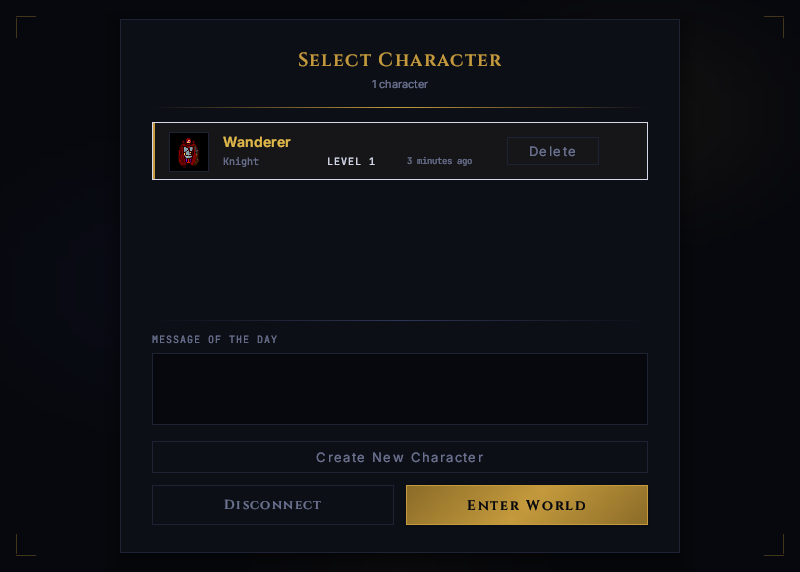 Your characters on this server. Each server has its own.
Making a character#
- Press Create New Character.
- Type a Name. It has to be one nobody on the server has taken.
- Choose a Class. The numbers underneath change as you choose: what a new character of that class starts with, and how likely each level is to raise its health, energy and mana.
- Choose Male or Female.
- Press Create Character.
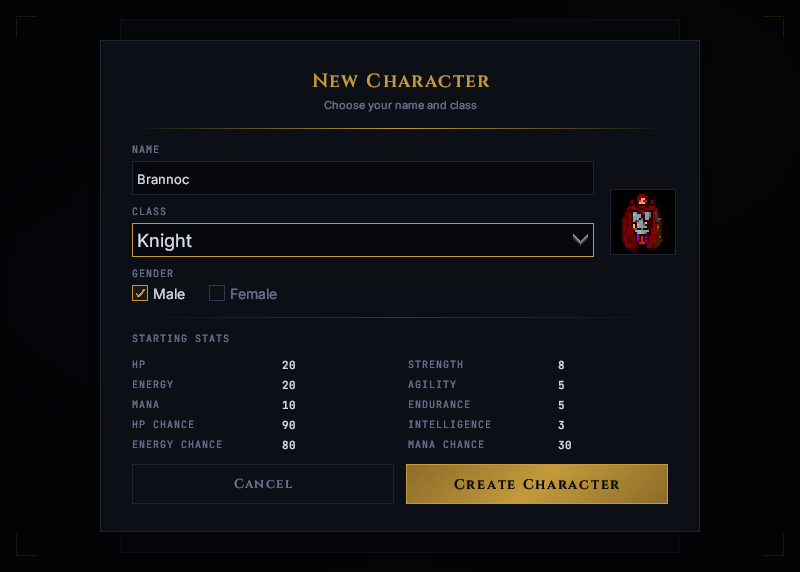 Classes are the server's own. Another server may offer quite different ones.
The classes, and how many characters you may have, are up to each server.
Entering the world#
Select a character and press Enter World.
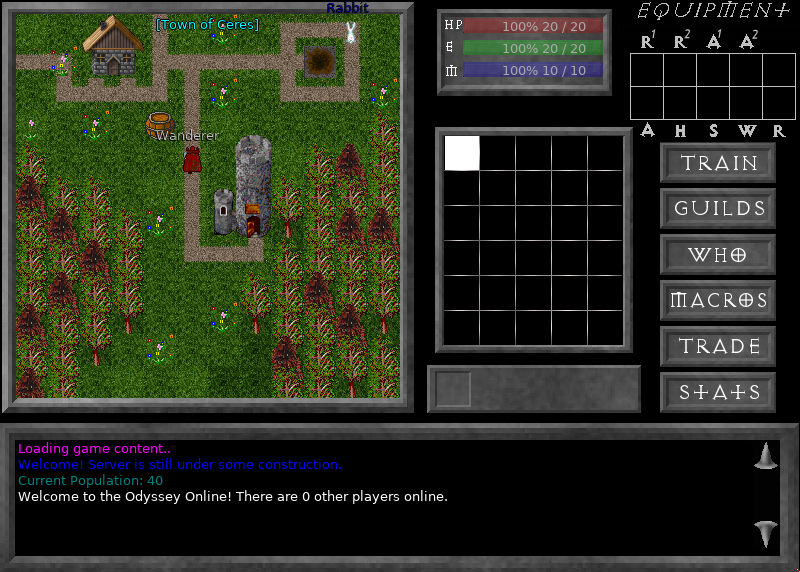 In the world. Controls and settings explains everything on this screen.
Controls and settings explains how to move, talk and fight.
Deleting a character#
Press Delete beside it. Odyssey asks twice, because a deleted character is gone for good.
Leaving#
Press Esc in the world for the menu.
- Leave Game takes you back to your characters on this server.
- Quit closes Odyssey.
From the character screen, Disconnect returns you to the server list.
Servers that are not on the list#
Not every server is listed. There are two ways to reach one by its address, which its owner gives you.
With your Odyssey account#
On the server list, press Direct Connect, type the server's Address and Port, and press Connect. You join as the account you are signed in with.
A server with its own accounts#
Some servers do not use Odyssey accounts at all. They keep their own, and you make one on the server itself.
- On the sign-in screen, press Connect to Offline Server.
- Type the Server address and Port the owner gave you.
- Type the Username and Password you want there.
- The first time, press Register & Connect, which makes the account. After that, press Authenticate.
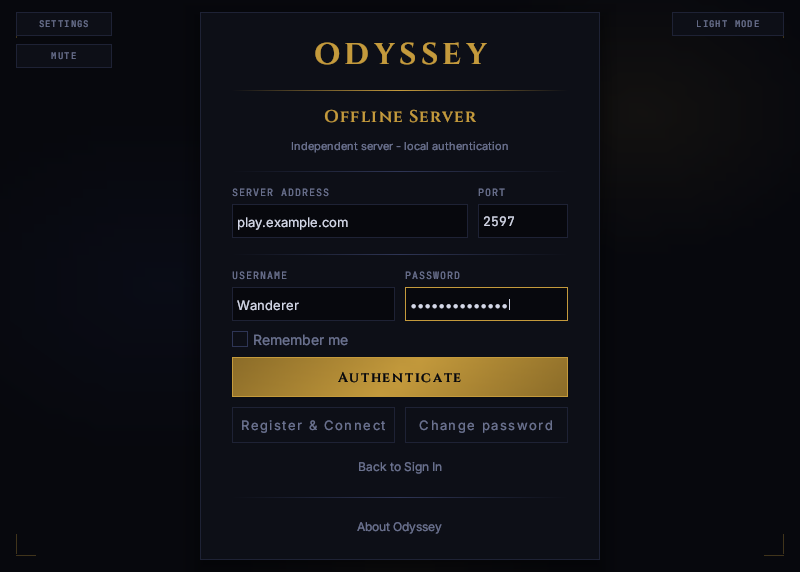 An account here belongs to that one server. Use a password you use nowhere else.
Change password changes your password on that server.
If you cannot get in#
| You see | What it means |
|---|---|
| Could not connect to the game server. | The server is not answering. It may be stopped, or its address or port may be wrong. Try again in a little while. |
| You are not on this server's whitelist. | The server is private and you are not invited, or your invitation has not reached it yet. If you have just accepted one, try again in a minute. |
| Server Identity Changed | See below. |
| YOU ARE BANNED beside a server | Your account is on Odyssey's ban list, which that server follows. The notice at the top of the list says why and for how long, and Appeal is how to ask about it. |
| That character is already in the world. | That character is still signed in, perhaps from another computer. Leave there first. |
Server Identity Changed#
Odyssey remembers each server it has connected to. If the server at an address is no longer the one it remembers, it stops and shows you both.
This happens when an owner reinstalls their server or moves it to another machine. It could also mean something is pretending to be that server. If you can, ask the owner whether they changed anything. If you are satisfied, press Trust and Connect; otherwise press Cancel.