Host keys and co-hosts
A listing on the registry belongs to an account on this site. The server that fills that listing proves it is the right one with a host key. And if other people help you run the server, you can make them hosts rather than hand over your password.
The host key#
A host key is a long random secret, made by this site for one listing. The server sends it with every check-in. A server with the right key is the listing; a server without it is nobody.
If you listed your server from Odyssey Server Admin, you have never seen the key. The app fetched it and wrote it into the server's server.yaml, and there is nothing more to do.
You need to handle the key yourself only when you set a server up by hand, or move a listing to a different server.
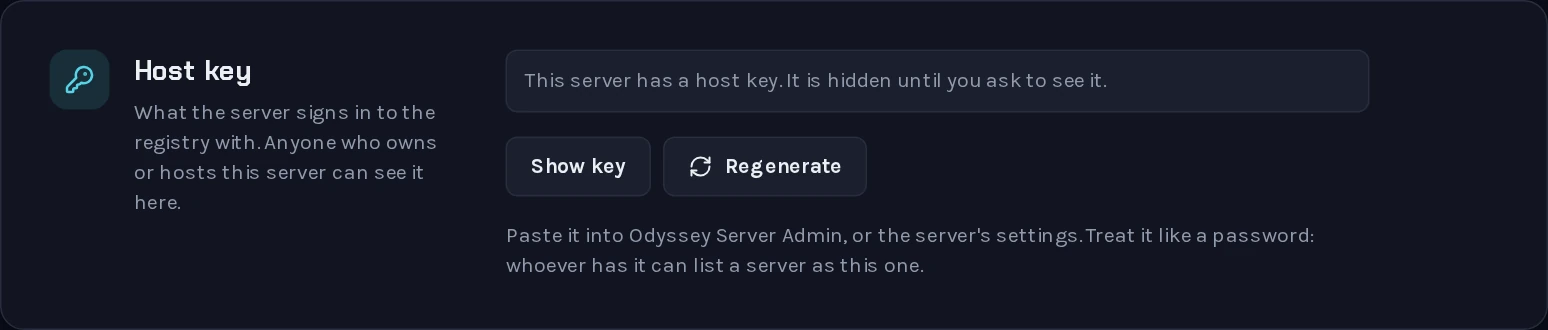 The key is hidden until you ask to see it.
On My servers, open the server:
- Generate key makes the key, if the listing has none yet.
- Show key shows it again, as often as you need.
- Regenerate replaces it.
The key goes in the registry section of the server's server.yaml, as hostKey, beside the listing's serverId.
Treat it like a password#
Whoever has the key can put a server of their own in your listing's place, under your server's name.
- Do not post it, and do not paste it into a chat to ask for help. Nobody helping you needs it.
server.yamlcontains it. Take the key out before you send that file to anyone.- If you give someone a copy of your world, give them the
.dbfile, notserver.yaml. The key belongs to your machine, not to the world.
If it gets out#
Press Regenerate. The old key stops working at once.
Your own server stops being listed at that moment too, since it still has the old key. Give it the new one: in Odyssey Server Admin, open Registry, press Unlink server, and connect it again to the same listing. Anyone hosting the server has to do the same.
Hosts#
A host is another player who may run your server from their own account. A host can:
- see the host key, and so start a server that fills your listing;
- edit the listing's name, description and website.
A host cannot regenerate the key, add or remove other hosts, or take the listing away from you. It stays yours.
Hosts are for someone who keeps the server running when you cannot: a co-owner, or a friend whose machine it runs on. They are not for moderators. Someone who only looks after players does not need the host key. Give them a role on the server itself, under Player administration in Odyssey Server Admin.
Inviting a host#
 Hosts are invited with a link.
- On the server's page on this site, under Hosts, press Invite a host.
- Copy the link it gives you and send it to them. Copy it straight away: it is not shown again.
- They open the link, check that it names your server, and confirm with their own username and password.
The link works once, for one person, and for seven days. Until it is used, it is listed under Hosts as "Invite not used yet", and you can cancel it there.
Once they have accepted, the server is in their My servers, marked Host, and appears in the list when they connect a server to the registry from Odyssey Server Admin.
Removing a host#
Press the remove button beside their name under Hosts. They can no longer see the key or edit the listing.
They have, however, already seen the key. If you are removing someone because you no longer trust them, Regenerate the key as well.
Who can do what#
| Owner | Host | |
|---|---|---|
| See the host key | Yes | Yes |
| Edit the name, description and website | Yes | Yes |
| Regenerate the host key | Yes | No |
| Invite and remove hosts | Yes | No |
These are rights over the listing. What somebody may do inside the server, in the game or in Odyssey Server Admin, is decided by the roles they hold on that server, and is separate. One exception connects the two: the owner of a server's listing is made that server's owner when they sign in to it with their website account.