Private servers and invites
A private server is one that only people you choose can join. It can still be on the server list, where it is marked Private, but pressing Play gets a stranger nowhere.
Use it for a world shared by a group of friends, for a server you are still building, or for a test before you open the doors.
Making a server private#
In Odyssey Server Admin, open Player administration and choose the Whitelist tab.
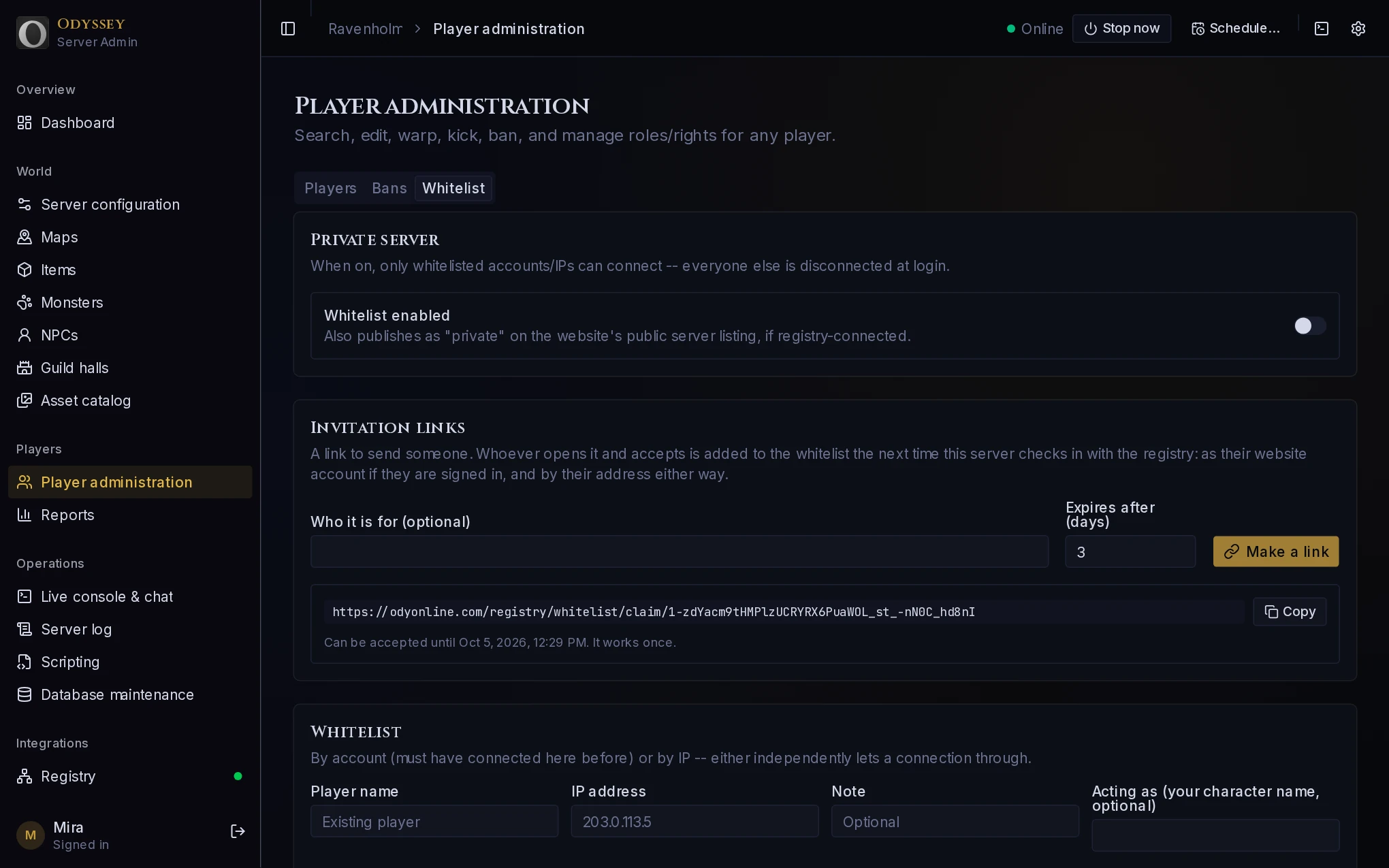 The Whitelist tab: the switch, invitation links, and the whitelist itself.
Turn on Whitelist enabled. From that moment, anyone who is not on the whitelist is turned away when they try to join.
Players who are already in the world when you turn it on are not thrown out. They are checked the next time they join.
Letting people in#
There are two ways. Invitation links are the easy one.
Invitation links#
An invitation link is a link you send to one person. They open it, press a button, and they are on the whitelist. You never need to know their account name or their address.
Your server has to be on the registry for this, because this site keeps the invitations.
- Under Invitation links, say who it is for, if you like. They will see this note, and it helps you keep track.
- Choose how many days it can be accepted for. Three unless you change it, and thirty at most.
- Press Make a link, then Copy, and send it to them however you talk to them.
Each link works once. Make one per person: a link posted in a group chat lets in whoever presses it first.
What they see:
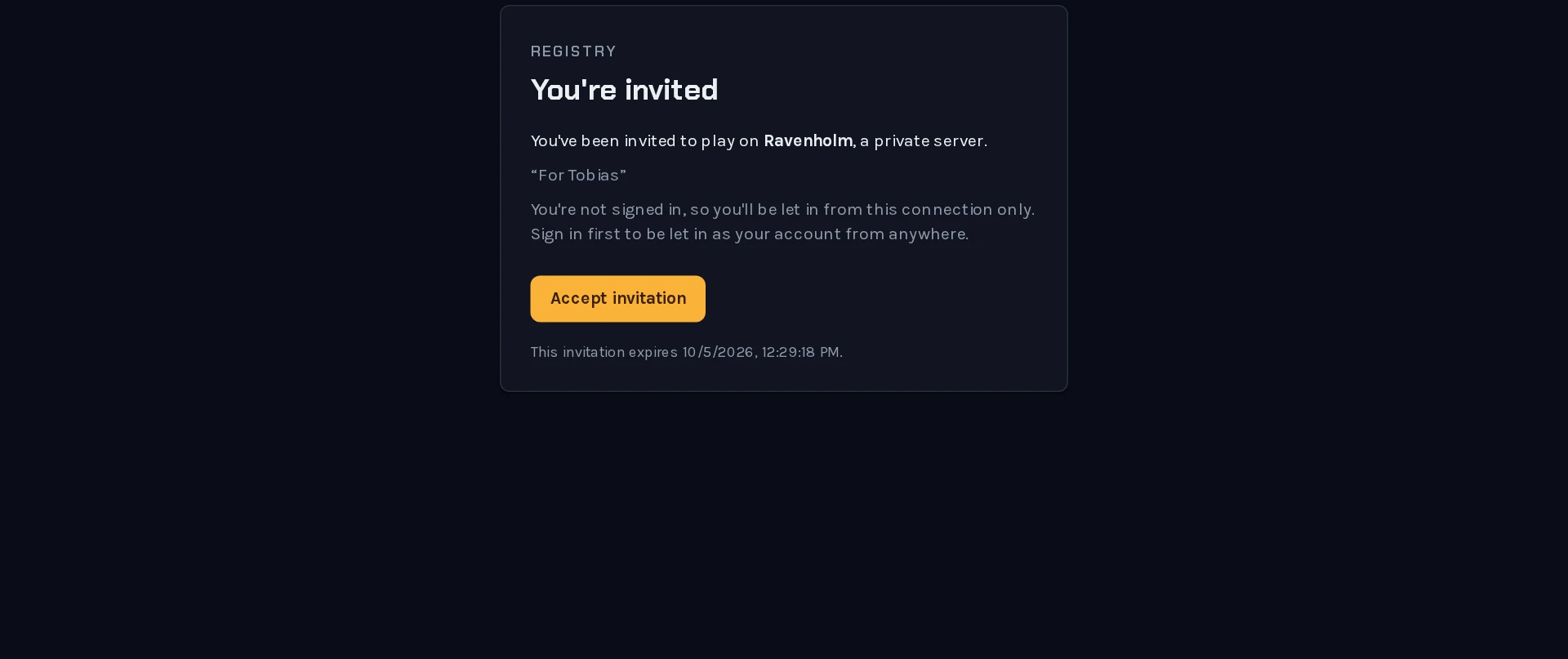 The invitation, as the person you sent it to sees it.
When they press Accept invitation, they are added to your whitelist the next time your server checks in with the registry, which is within a minute.
It matters whether they are signed in to this site when they accept:
- Signed in: their account is whitelisted. They can join from anywhere.
- Not signed in: only the internet address they accepted from is whitelisted. They can join from home, but not from somewhere else, and not after their address changes.
Tell the people you invite to sign in first. The page says so too.
Adding someone yourself#
Under Whitelist, on the same tab, add an entry by hand:
- Player name: an account that has connected to your server before.
- IP address: an internet address. Everybody connecting from it is let in.
Either is enough to let a connection through. An address is the way to let in someone who has never joined; a name is better once they have, because it follows them.
Taking someone off#
Remove their entry from the list on the Whitelist tab. They are turned away the next time they join.
To remove somebody who is in the world right now, take them off the whitelist and then kick them, from the Players tab.
To keep a particular person out for good, a ban is the better tool: it names them and records why.
Opening up again#
Turn Whitelist enabled off. The Private mark leaves your listing within a minute, and anyone can join. The whitelist itself is kept, so turning it back on later restores things as they were.
Private, but not hidden#
A private server is still listed, with its name, description and how many are playing. If you would rather it were not seen at all:
- turn off Auto-connect on the Registry page, and the server leaves the list while it stays running;
- or do not list it. Your players then join by typing the server's address in the game.
Invitation links need the registry, so an unlisted server is whitelisted by hand.